
What is a no-code AI agent? How to build business agents without developers

A no-code AI agent is a way of building an AI agent that handles work by giving instructions in sentences and configuring it on screen, without writing code. The key point is that the person who knows the work can build and fix it themselves, without ordering development from a developer for every task.
How are chatbots, custom development, and no-code agents different?
Type | Who builds it | What it does | When the work changes |
|---|---|---|---|
AI chatbot | A ready-made service | Answers the questions you ask | Enter the question again |
Custom development | Developers or an outside vendor | A program that handles a fixed task | Go through writing specs, ordering, and waiting again |
No-code AI agent | The person in charge of the work | Goes beyond answering to look up, tally, write, and run on a schedule | The person in charge fixes it directly |
The limits of custom development (requests pile up and development is slow, the work has changed by the time it is finished, and the people who know the work cannot fix it) are described in concern 02 of the AgentWorks brochure.
Four ways to build an agent without code (based on AgentWorks)
Anyone · start by chatting: Point to a library and ask a question, and it becomes a guideline-assistant agent as it is.
Business owners · design in words: Enter what needs doing as a sentence, and the AI designs the steps and even sets up the schedule.
Work experts · bundle into skills: Bundle writing rules and formats into skills so the whole department works to the same quality.
System owners · Open API: Call tasks through an API from a dedicated app or another system.
How it is built: a complaint status report agent (example)
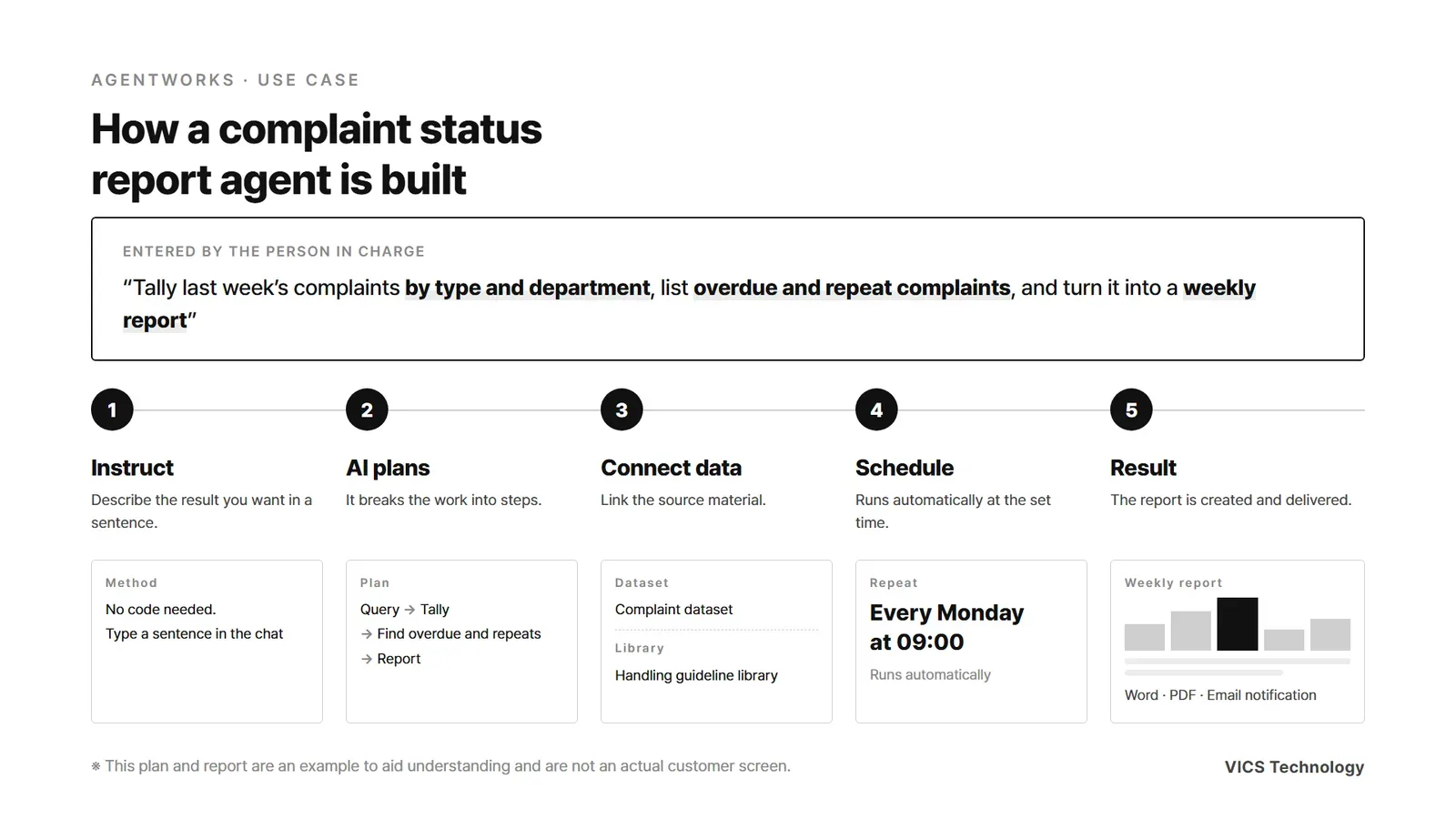
The person in charge enters: “Tally last week’s complaints by type and department, list overdue and repeat complaints, and turn it into a weekly report”
Instruct: describe the result you want in a sentence.
AI plans: query → tally → find overdue and repeats → report
Connect data: a complaint dataset and a handling guideline library
Schedule: runs every Monday at 09:00
Result: a report (summary, tables, charts), Word and PDF files, and an email notification
This plan and report are an example to aid understanding and are not an actual customer screen.
Five things to check before you start
Start with work that has a clear, repeating pattern. One or two tasks in a single department is about right.
Connect your source material. Without regulations, documents (including HWP and PDF), and data, the answers are hard to trust.
Keep a record of who used what. You can only report if you have permissions, usage records, and audit records.
Check the quality. There is a way to register model answers and check the result by score (AgentWorks quality check).
Decide where a person has the final say. For anything that goes outside the organization, a design where the person in charge checks it is safer.
Agent packs for each department (based on Yurika)
Yurika starts from agent packs, which bundle agents, templates and reference folders, skills, and connectors together. There are base packs, department packs (marketing and sales, HR and general affairs, finance and accounting, legal, and more), industry packs, and custom packs, and the pack names and contents are examples. Administrators can start by filling in templates and reference material, without knowing how to build agents.
Can you build them on a closed network?
AgentWorks is a no-code agentic AI platform that also runs on a closed network. One public institution’s AI-based incident response platform configures its agents through on-screen settings alone, with no code development, and even runs the AI model inside the institution. This project is currently in progress.
Things to know
Approval by the person in charge for actions that cannot be undone, and automatic recovery that continues even when the screen changes, are in preparation (based on AgentWorks).
We do not post fixed prices on the website and guide you through an inquiry.
You can try the AI adoption check, or ask about a pilot through an adoption inquiry.
Frequently asked questions
What is a no-code AI agent?
It is a way of building a business AI agent with sentences and settings instead of writing code.
Can I build an agent without a developer?
Yes. AgentWorks is a no-code platform where you build agents on screen without code, so the business owner who knows the work builds and fixes them directly. In the public institution case too, it was configured with on-screen settings alone, with no code development. There are four ways to build an agent, and you choose by who is building it.
Which work should I start with?
Start with one or two tasks that have a clear, repeating pattern, check the results, and then expand department by department.